


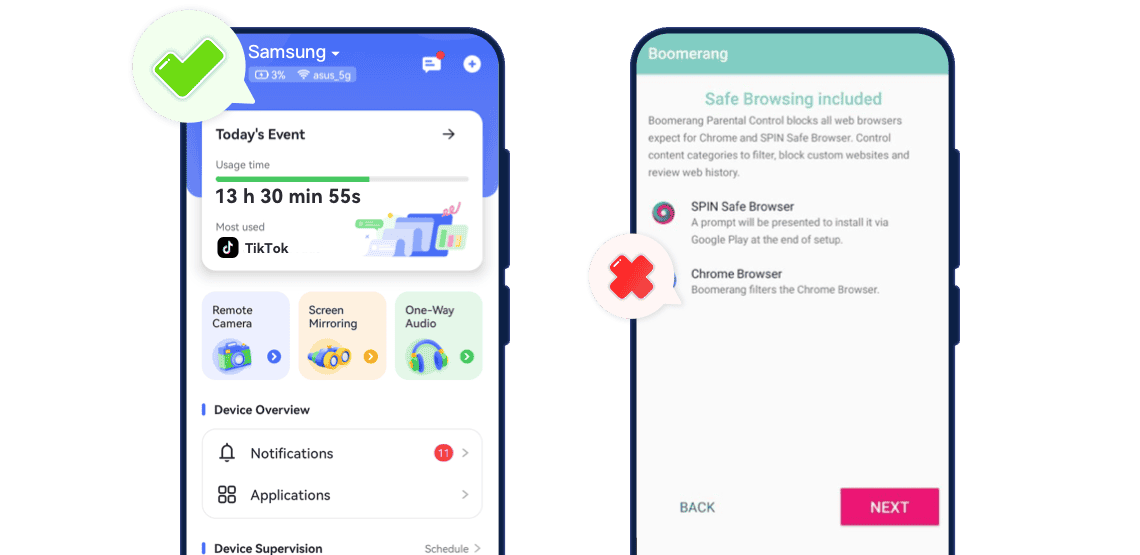
Feature Comparison: AirDroid vs Boomerang
-
Feature Breakdown

-
Real-Time Screen Monitoring


-
App & Screen Time ControlsRead More
 AirDroidSet daily limits per app, restrict individual apps, block all apps instantly, or allow only selected apps.
Supports instant device lock anytime on both Android and iOS.
Boomerang Parental ControlSet daily usage quotas, schedule device "sleep" periods, and allow/block individual apps./br>App blocking available only on Android; iOS devices and some features (like instant device lock) are limited or scheduled, not immediate.




-
Communication & Social MonitoringRead More AirDroidSync app notifications, monitor SMS/calls (especially Android), and detect social media messages with real-time alertBoomerang Parental ControlCall & text safety features: view call logs and SMS; alerts for certain keywords; includes App Removal Protection on Samsung Knox devices (useboomerang.com
). Limitations: Google Play version may be restricted; iOS parents cannot monitor calls/SMS fully. -
Platform CompatibilitySupports Android 7.0+ and iOS 13+. Core features—including app control, screen time limits, and location tracking—work on both Android and iOS. Advanced features (screen mirroring, remote camera, one-way audio) are Android-only.Android-focused, full functionality on Samsung Knox devices. iOS devices can run SPIN Safe Browser for web filtering, and parents can control Android child devices from iOS, but iOS child devices cannot use full monitoring features.
-
Pricing HighlightsMonthly plan: US $9.99/month
Quarterly plan: US $19.99
Annual plan: US $59.99/yearSingle‑device license: US ~$19.99/year
Family pack (up to 10 devices): US ~$39.99/year
Why AirDroid Parental Control Is the Smarter Choice
- Overall Rating:
- Ease of Use: Simple installation and setup; intuitive dashboard allows parents to instantly monitor screens, apps, calls/SMS, and location without complicated steps.
- Key Strength:
- Real-time screen mirroring, remote camera access, one-way audio
- Flexible app limits and instant device lock
- Social content detection and keyword alerts
- Real-time location tracking and geofence notifications
- Best for: Parents seeking all-round protection with real-time visibility, app management, social content detection, and instant location tracking.
- Overall Rating:
- Ease of Use: Easy to install, but some features require manual permissions or enabling on the child's device (e.g., call/text access, location services, safe browser setup), and functionality may be limited depending on device type or platform (especially iOS).
- Key Strength:
- Screen time management and app blocking
- SPIN Safe Browser for website filtering
- Call & text safety feature(full functionality on Samsung devices or specific versions)
- Best for: Families focusing mainly on app management and basic web filtering (blacklist/whitelist, browsing history, and safe browser), especially on Android devices.

How AirDroid Parental Control Solves Real-World Worries
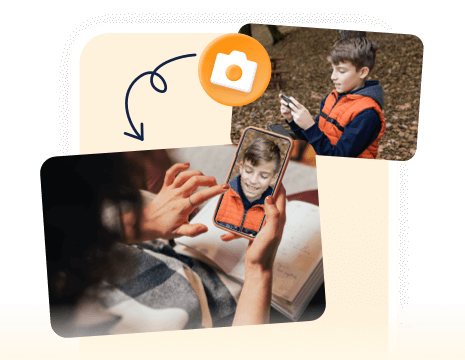
Screen Mirroring lets you see your child's live screen, Remote Camera lets you view their surroundings, and One‑Way Audio lets you hear what's happening in real time.
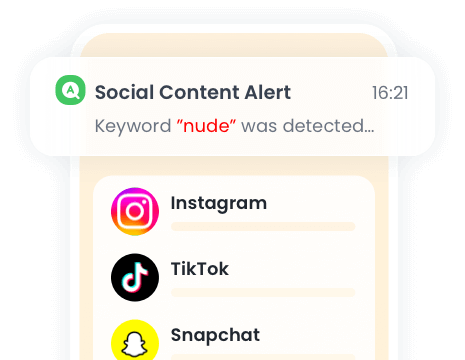
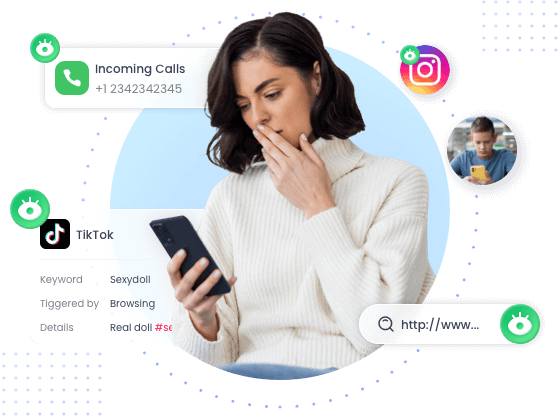
Monitors SMS, app notifications, and social media messages on Android. Detects sensitive keywords and sends real-time alerts to parents.
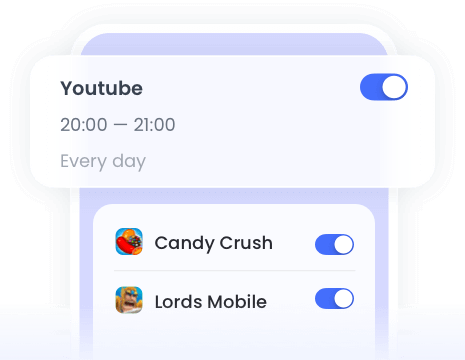
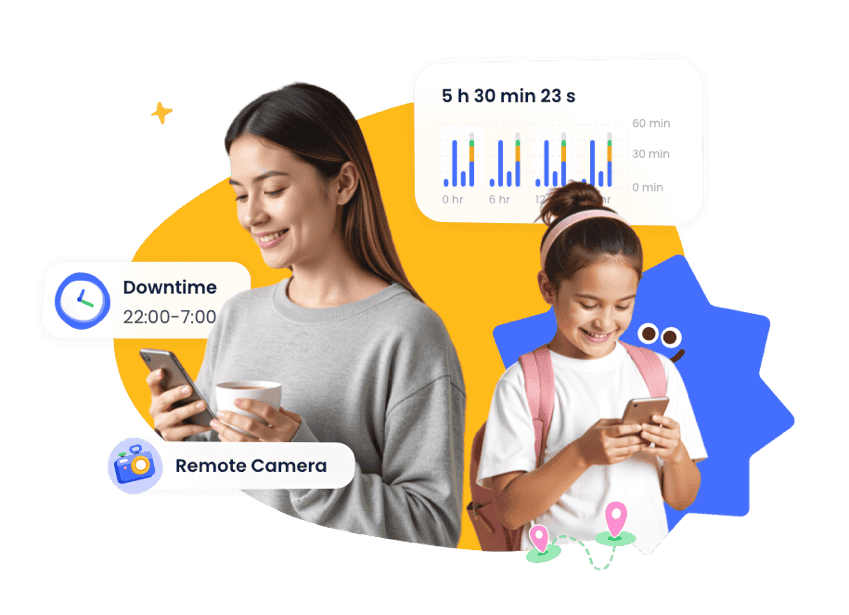
Set app-specific limits, schedule device downtime, or instantly lock the device to prevent excessive social media use during class.
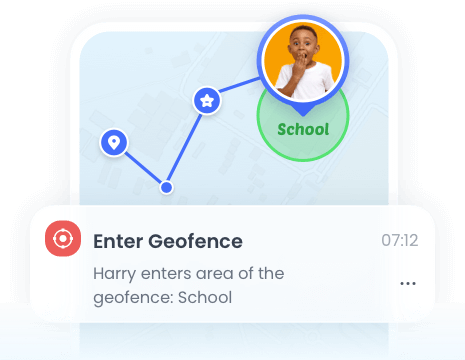
Provides continuous location updates, location history, and geofence alerts, helping parents respond quickly if a child goes missing.
Real-World Worries Parents Face
-

 Late-Night Phone Use
Kids staying up past bedtime scrolling social media or playing games.
-
 Risky Social Media Content
Receiving inappropriate messages, bullying, or exposure to sexting on apps.
-
 Excessive App Usage
Spending hours on TikTok, games, or other apps during school or homework time.
-
 Unknown Location
Child’s location suddenly unknown or leaving safe zones without notice.
-
 Unsupervised Environment
Parents cannot check the child's surroundings remotely in case of emergencies.
-
 Access Harmful Sites
Visiting adult, violent, or drug-related websites unnoticed.
Comments from AirDroid Parental Control Users







Complete Family Protection in 3 Easy Steps
-


Download and Install
Download AirDroid Parental Control or go to AirDroid Parental Control Web.
-

Sign Up and Sign In
Register an AirDroid account and sign in on the parent's device.
-
Bind Child's Device
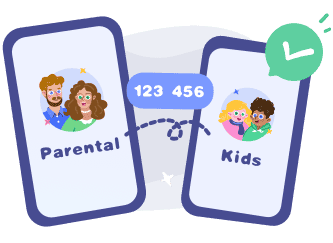
Install the AirDroid Kids on the kid's phone and input the
binding code to connect both devices.
Start with AirDroid Parental Control to Protect Your Kids Now
Dude Hygge
I absolutely love this app… It helps me keep track of my kids anywhere with the added bonus of being able to see any notifications that come to their phones. And the fact that the app and icon physically disappear from the phone that you're tracking is A++ in my book….
Michelle Morrice
I am impressed by the AirDroid Parental Control. It is easy to use and budget-friendly. It took me a few minutes to set up the app, and I could set screen time limits, website schedule, and geofence for my kids. Highly recommended!
Iris Lee
This app is a life-saver! It does everything you would need it to do!! The only complaint I have is that it is not completely undetectable on the child's phone.