iPhone Location History for Parents: See Where Your Child Has Been
Before we begin
Sometimes, checking iPhone location history through built-in tools isn’t enough—especially when key details are missing or outdated.
Explore AirDroid Parental Control to view your child's detailed iPhone location history, set up geofences, and monitor movements in real time.

Your child was supposed to be home by 5, but he is coming home later, giving no explanation.
Since Find My only shows where your child is right now, you might need to see your child's location history and confirm whether they have gone to any dangerous places after school.
So, Can You See Location History on iPhone?
Yes, but not in the way most parents expect. For enhanced privacy, Apple's built-in tools only show you visited places, not routes or a full location timeline.
That said, some third-party apps, like Google Maps and parental control apps, give you the answer you're looking for.
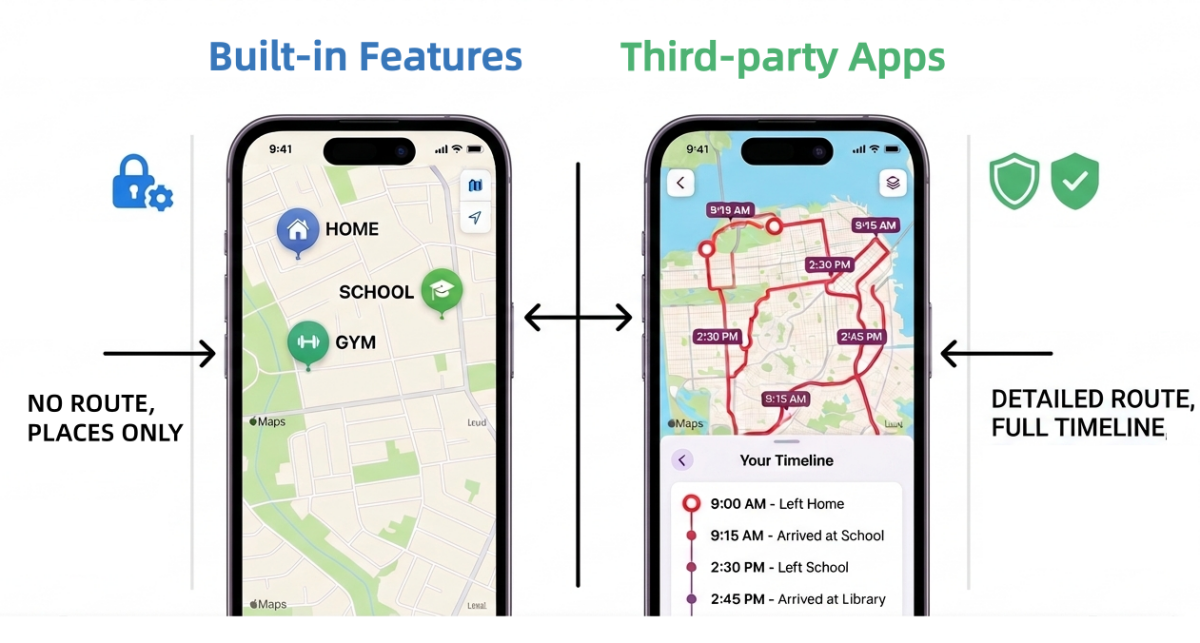
Here's exactly what each method can and can't tell you:
| Methods | What You Can See | Detailed Routes? | Remote Access? | Can Child Delete? |
|---|---|---|---|---|
| Maps Visited Places | Any visited place |  |
|
 |
| Significant Locations | 2-3 frequently visited places | |
|
|
| Google Maps Timeline | Detailed routes | |
|
|
| AirDroid Family Locator | 30 days of route history | |
|
|
How to See Your Child’s iPhone Location History
Method 1: Apple Maps Visited Places (iOS 26 and later)
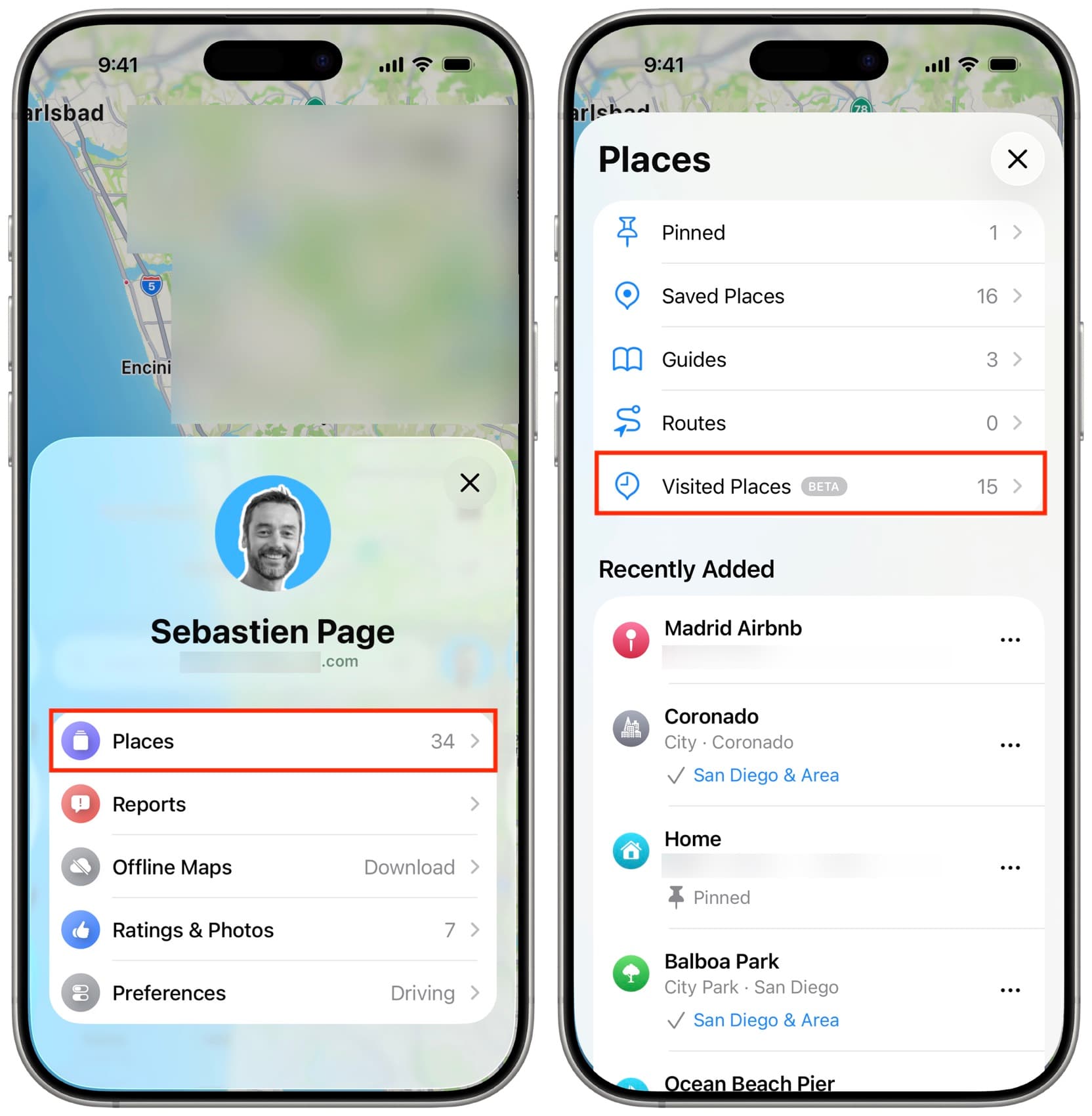
With the latest iOS 26, Apple introduced a new feature called "Visited Places" in Apple Maps, which provides a detailed view of past locations, organized by date, category, and city.
However, it only shows you the specific places your child has been instead of the clear route or movement history. Additionally, you can not view the time when they went there.
To use this feature and view iPhone location history:
- Step 1. Ensure "Visited Places" has been enabled. ("Settings > Apps > Maps > Visited Places")
- Step 2. Then, open Apple Maps on your child's iPhone and tap their profile picture.
- Step 3. Go to "Places > Visited Places."
- Step 4. Here, all visits are sorted by category, city, and date.
Method 2. Significant Locations
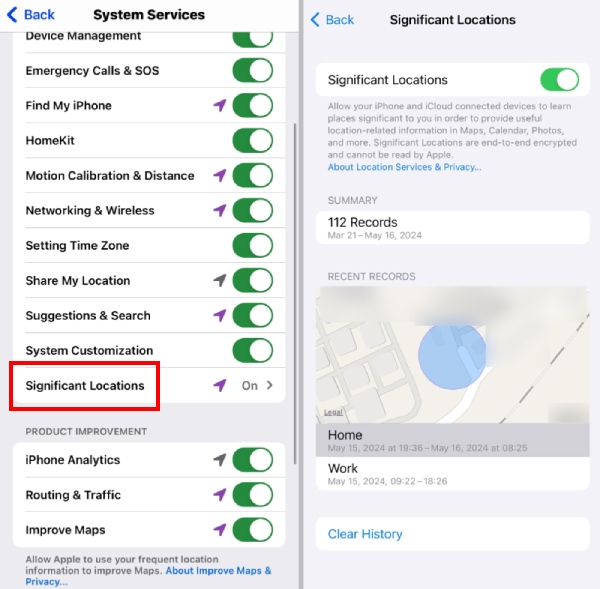
In addition to "Visited Places," the "Significant Locations" feature, which lives buried inside the privacy settings, can also record places your child visits frequently, like home, school, or a regular after-school spot.
As a parent, the catch is how you access it: Significant Locations are stored locally on your child's device, encrypted, and tied to their Apple ID.
That means you need to unlock your child's iPhone and navigate to the following to view their frequent locations:
- Step 1. "Settings > Privacy & Security > Location Services > System Services > Significant Locations & Routes > Enter the screen passcode."
- Step 2. Then, you'll see 2 or 3 places your child has visited often, with timestamps showing when they arrived and left.
Method 3. Google Maps Timeline
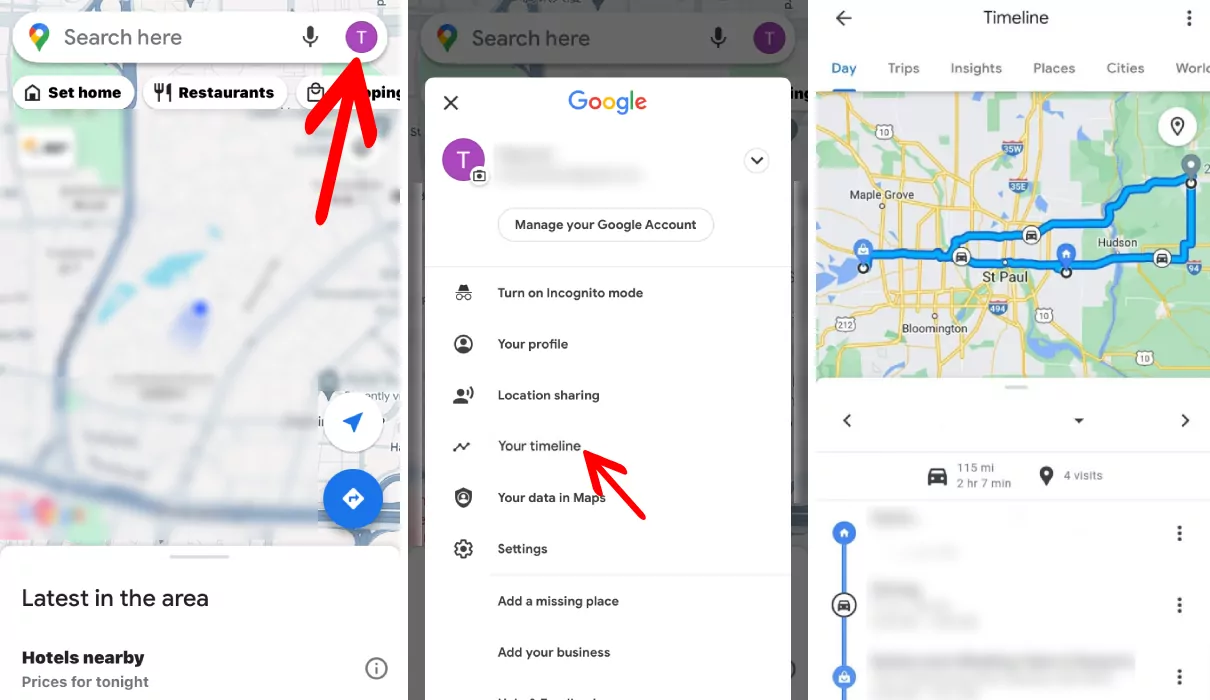
If your child has Google Maps on their iPhone and enabled the Timeline feature, this is the most detailed location history you'll find. It includes full routes, stops, time spent at each location, and even the mode of transport.
- Step 1. To view it, open Google Maps on your child's iPhone.
- Step 2. Tap their profile and select "Your Timeline."
- Step 3. You can now see the iPhone location history by date.
One important change in late 2024: for data security and privacy, Google stored Timeline data on the local device instead of the cloud. This means the history only exists on your child's phone.
So, if you want to view your child's iPhone location history remotely, skip to the next method.
Method 4. AirDroid Family Locator
As you can see, the above methods require you to pick up your child's phone, which isn't always possible, especially when you need quick reassurance.
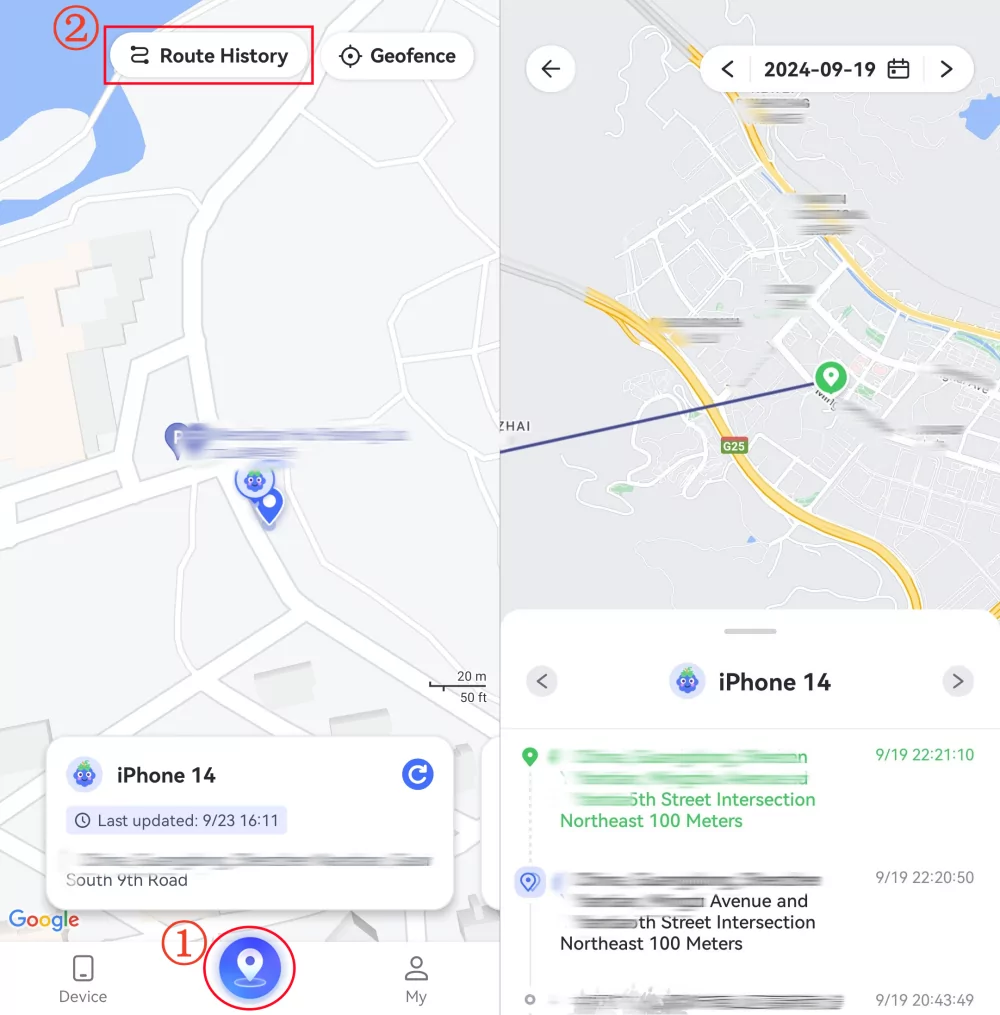
And AirDroid Family Locator is designed around exactly this problem. It lets you view your child's 30-day past routes and current locations directly from your own device. To set it up:
- Step 1. Download AirDroid Parental Control and tie up your child's iPhone (running iOS 15 and later).
- Step 2. Then, go to the "Location" tab and tap on "Route History."
- Step 3. Now, you can see a full location timeline: where your child has been by date and when they arrived.


Final Words
You can check iPhone location history primarily through the built-in features, such as Apple Maps' visited places or significant locations. These settings record places your child has recently or frequently been to.
For a more detailed timeline or route view, you can also use Google Maps timeline or AirDroid Family Locator.
FAQs





Leave a Reply.