AirDroid Business

Award-winning MDM Solution

Try It Free
Share

How to use 6 Times Taps Enrollment with AirDroid Business 4

airdroid 4 Steps 30 Seconds Dec 18, 2023
Filed to: Quick Guides
ic introduction01
Follow the below steps to use 6 Times Tabs Enrollment to enroll your devices.
1

Quickly tap the screen 6 times in the “blank space” of the welcome interface of the new device (the interface of different models may be different). If your device is already in use, please go to the settings on the device to factory reset your device.

Factory-reset-and-go-the-welcome-page
Note : If necessary, back up or sync all necessary app data before factory reset.
2

Go to Admin Console > Devices > Device Enrollment > The Enrollment via Device Owner > 6 Times Tap, and use the device's camera to scan the QR Code on the right side of the Admin console enrollment page.
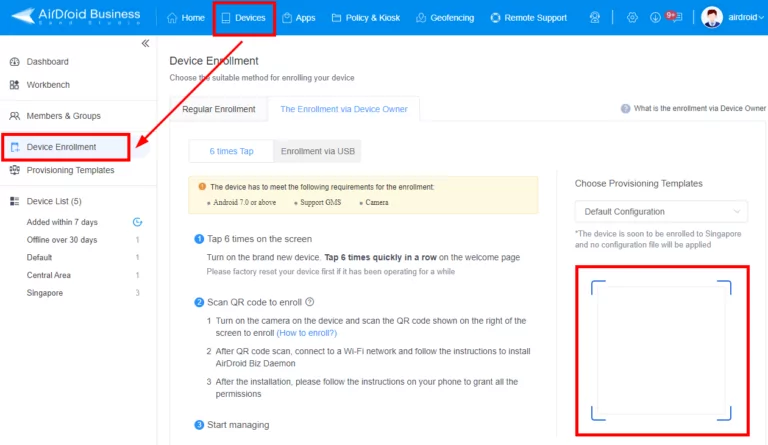
Select-the-Provisioning-template-on-Admin-Console
3

After scanning the QR code, it will initialize your device.
Then, click Continue to grant basic , and agree with the terms of use to proceed (the interface of different models may be different).
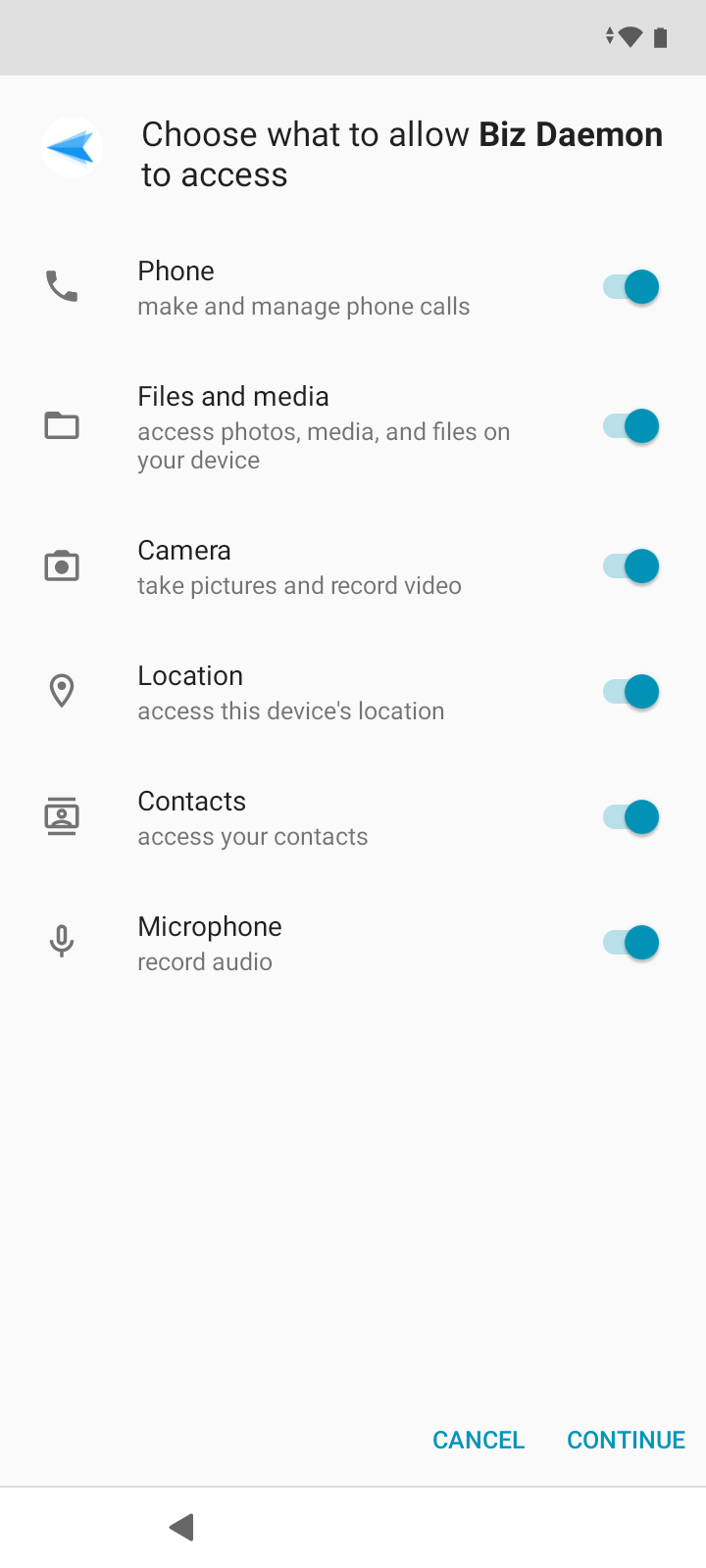
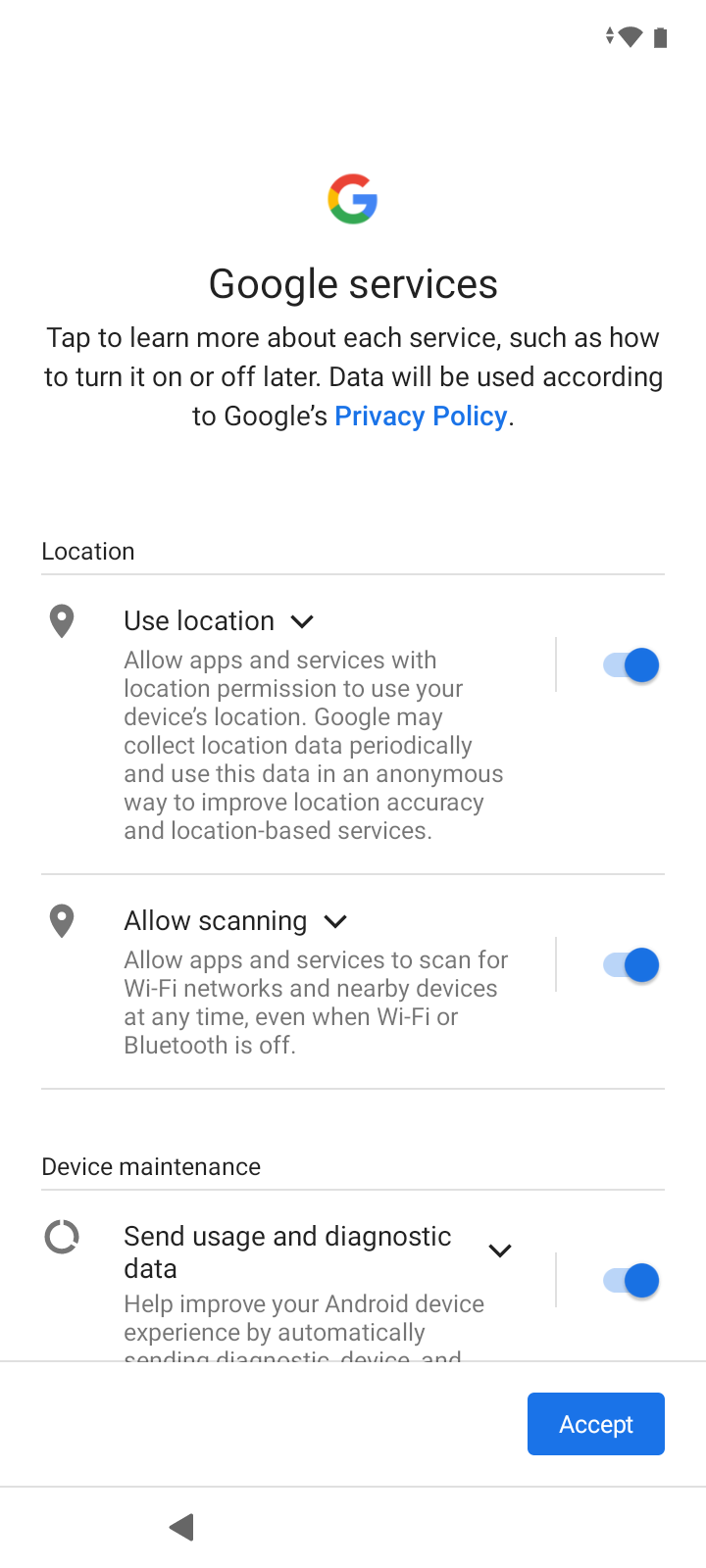
Initializing-the-device-for-AirDroid-Business-1Initializing-the-device-for-AirDroid-Business-2
4

After all the service terms are completed, and you reach the device desktop, open Biz Daemon on the device and check this article to authorize Biz Daemon permissions.
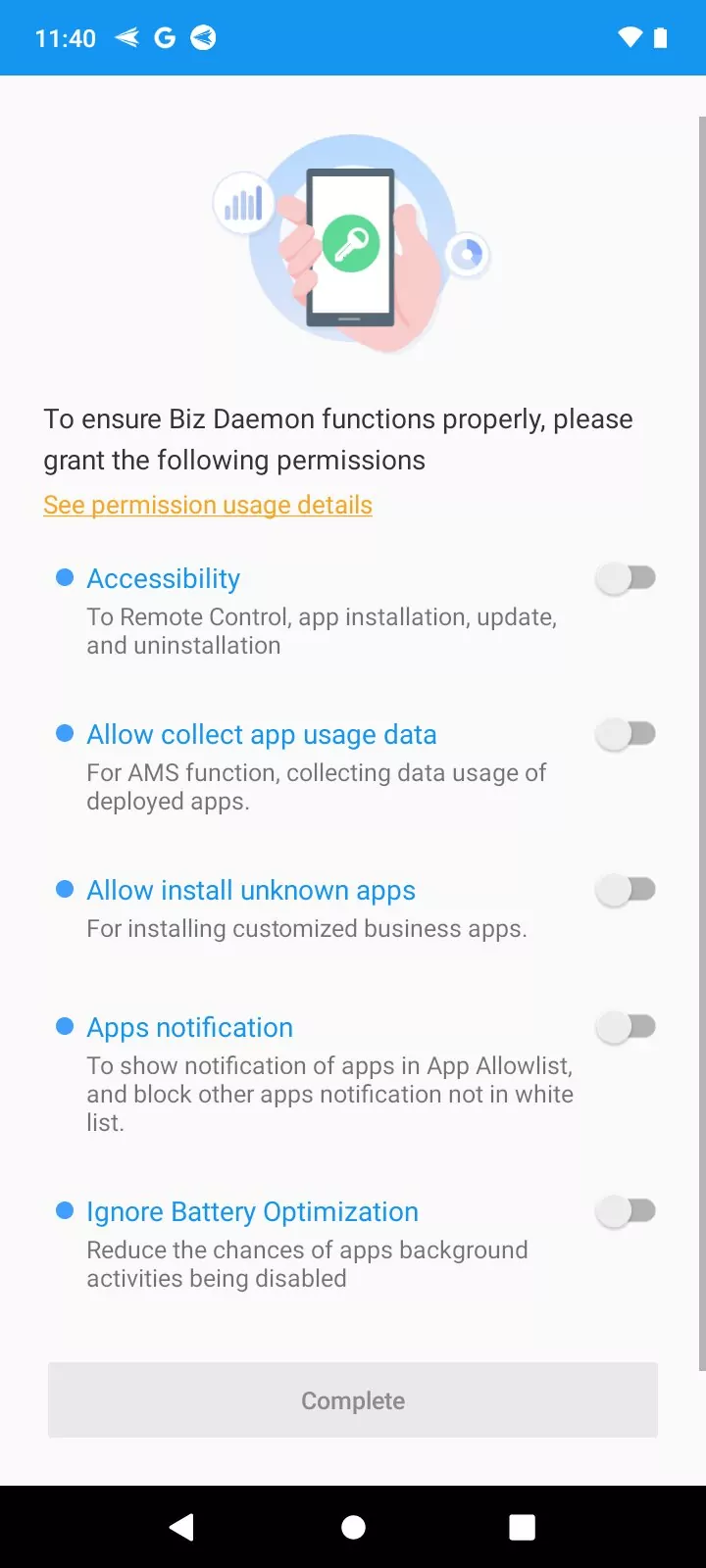
5 Grant permissions for AirDroid Business Daemon
ic finish01
Congratulation! You have enrolled your device with Device Owner permissions. We suggest you to check this article for better management experience.

Get a Start with AirDroid Remote Support Now

14-day Free Trial Contact sales
Share:

You Might Also Like

  • How to use 6 Times Taps Enrollment with AirDroid Business 3
  • How to use 6 Times Taps Enrollment with AirDroid Business 2
  • How to use 6 Times Taps Enrollment with AirDroid Business
Discussion

Leave a Reply. Cancel reply

Your email address will not be published. Required fields are marked*

Product-related questions?Contact Our Support Team to Get a Quick Solution>
Home > Quick Guides > How to use 6 Times Taps Enrollment with AirDroid Business 4